Automate the Boring Stuff with Slackbot
English Talk
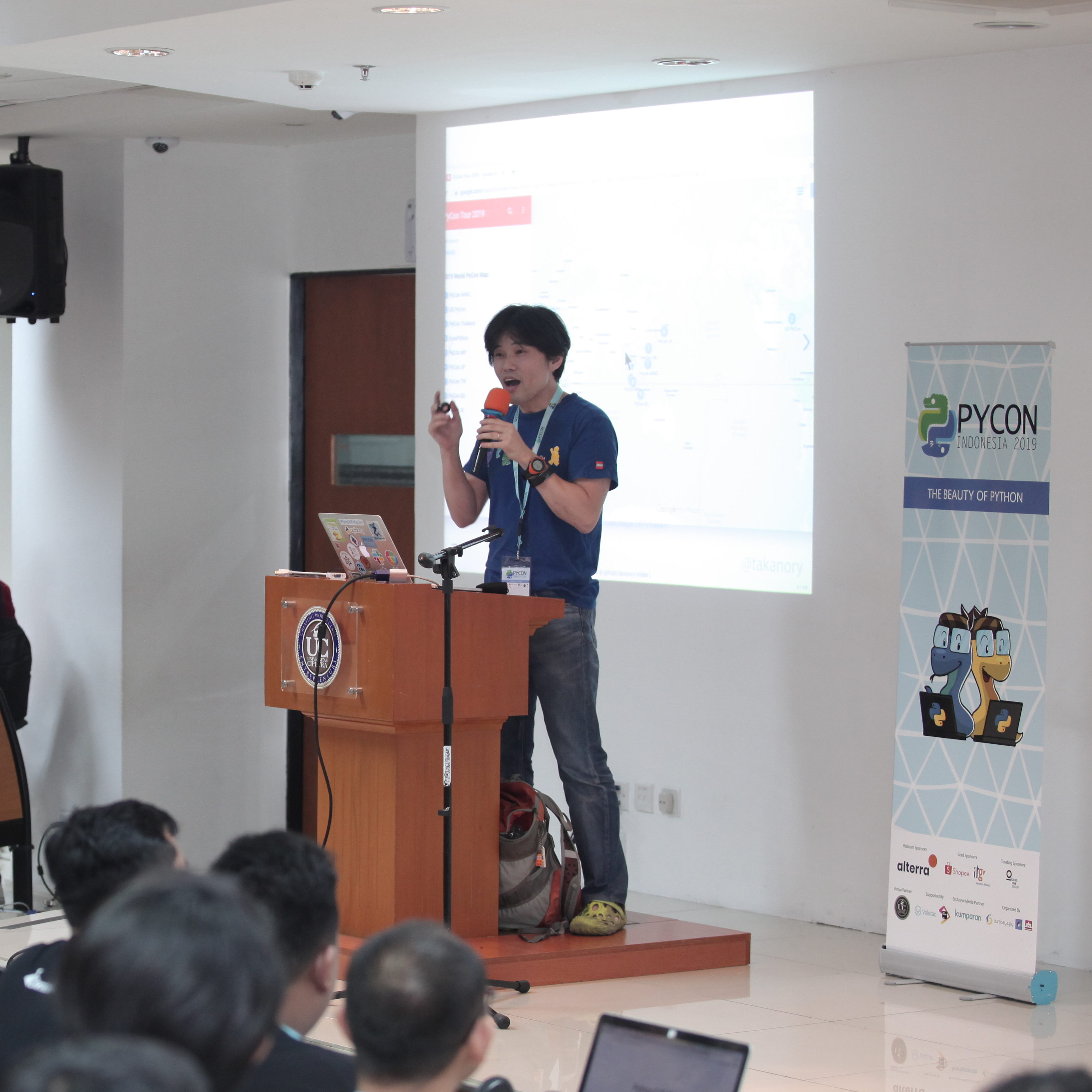
Takanori Suzuki
from Vice-Chair of PyCon JP Committee
Takanori is a ViceChair of PyCon JP Committee. He is also a director of BeProud Inc., and his title is "Python Climber". He held PyCon JP 2014-2016 as a chair.
"I will explain how to create a chatbot using slackbot. I will share how to create a simple bot in Python and how to extend bot with libraries and APIs."
Takanori([@takanory](https://twitter.com/takanory/)) is a Vice Chairperson of [PyCon JP Committee](https://www.pycon.jp).
He is also a Director of [BeProud Inc.](https://www.beproud.jp/careers/en/), and his title is "Python Climber".
Takanori held PyCon JP 2014 to 2016 as the Chairperson.
Currently he teaches Python to beginners as a lecturer at [Python Boot Camp](https://pycamp.pycon.jp) all over Japan.
In addition, he published several [Python books](https://www.amazon.co.jp/l/B00W95A036).
Tananori plays trumpet, climbs boulder, loves Lego, ferrets and beer.
Automate the Boring Stuff with Slackbot
The outline of my presentation is below:
1 Who am I (1m)
2 Back ground, motivation (2m)
- Lots of tasks to hold Conference
- Staffs ask me the same thing
- Programmer is Lazy
- Let's create a secretary
3 Goal(1m)
- You'll learn how to create simple chatbot(one way)
- You'll learn how to create interactive bot
- You'll learn how to extend bot using libraries and APIs through various case studies
4 Why Slack? (1m)
- Easy to access Slack
- I want to do everything in Slack
5 Simple integration with Incoming Webhook (5m)
- System overview(https://api.slack.com/incoming-webhooks)
- Create Incoming Webhooks Integration on Slack: Generate Webhook URL
- Send a simple message with cURL
- Send a simple message with Requests
- Send a complex message with Requests
- Summary
6 How to create slackbot (5m)
- System overview
- Create bot user on Slack
- Install slackbot library
- Create a simple bot with slackbot
- Simple plugin with slackbot
- Run slackbot
7 Extend slackbot (5m)
- listen_to and respond_to decolator
- emoji reaction(message.react() method)
- Extract parameters on chat message
- settings of slackbot
- Attachments support
- Summary of slackbot
8 Case study (18m)
- Calculator function using SymPy: Install SymPy, sample code of command
- Plusplus function using Peewee ORM: Install Peewee, sample code of model and command
- Display JIRA issue and Search issues
-> System overview
-> Install Python JIRA
-> Authentication of JIRA API
-> Get Issue object and search issues code
-> JIRA API and jira package
- Create multiple issues from a template
-> Motivation
-> System overview
-> Google Authorization is very Complex
-> Get Spreadsheet Data with Sheets API
-> Create JIRA Issue
-> Sample template command
- Account management of G Suite
-> Motivation
-> System overview
-> Get user list, Insert user
-> Suspend, Resume, Delete user
-> I can completely forget Google Admin web site
9 Summary(1m)
- Incoming Webhooks
- Slackbot
- Slackbot with Libraries and APIs
10 Next steps (1m)
- Let's make your own Slackbot
- Let's connect your bot with libraries and APIs
- Automate your Boring Stuff with bot
11 Questions and Answers
Sponsor
Platinum Sponsor

Gold Sponsor


Tote Bag Sponsorship

Supported By


Organized By


Exclusive Media Partner

Venue Partner
